
Rummy 91
Sign Up Bonus: ₹83 Min. Withdraw: ₹100
4.5140K+ downloads
Quick Answer
Open the app's page, tap Download APK, allow “Install unknown apps” for your browser once, then install and register with your mobile number and OTP. The same steps work for every Yono game.

By Spin Yono Editorial Team
Gaming Analyst & Editorial Team
Official game research and updates team at Spin Yono Games.
Updated
Yono-family games (rummy, slots and spin apps) are not listed on the Google Play Store, so you cannot install them with one tap like a normal app. You download the installer file, called an APK, and open it yourself. Android asks for permission the first time, which is the step most people get stuck on.
New to Yono games in general? Start with what is Yono game for the basics.
Check your phone. You need an Android phone. APKs do not install on iPhone. Keep at least two to three times the app's size free in storage (most Yono APKs are 40 to 60 MB).
Check the source. Download from the app's own page or a site that links to a specific, named version. Avoid files forwarded on Telegram or WhatsApp, and anything labelled “mod” or “hack.”
Check the rules. Real-money play is 18+ only and restricted in several Indian states. See the note at the end of this page.
1. Pick the app from the all Yono apps page and open its page.
2. Tap Download APK. Only apps with a checked download link show this button. Others show a “coming soon” notice instead of sending you to a different app.
3. If Chrome warns that the file “can harm your device,” tap Download anyway, but only for a source you trust.
4. Open the downloaded file from the notification or your Downloads folder.
5. If Android blocks the install, allow unknown apps (next section), then tap the file again and tap Install.
6. Open the app and register with your mobile number and OTP.
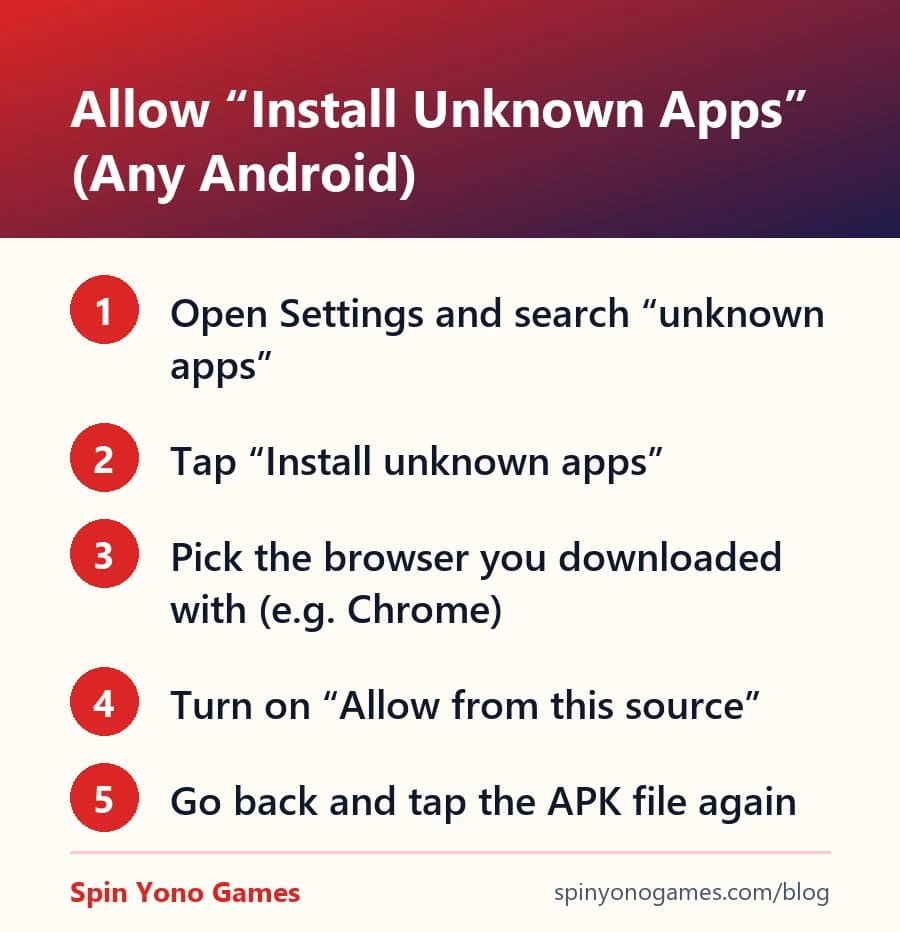
Menu names differ between Samsung, Xiaomi/Redmi, Vivo, Oppo, Realme and others, but the setting is always called something close to Install unknown apps. The quickest route on any phone: open Settings, tap the search bar, type “unknown apps,” and open the result.
Choose the browser you downloaded with (usually Chrome), turn on Allow from this source, then go back and tap the APK again. You can switch it off after installing. The permission is per app, so allowing Chrome does not let other apps install files.
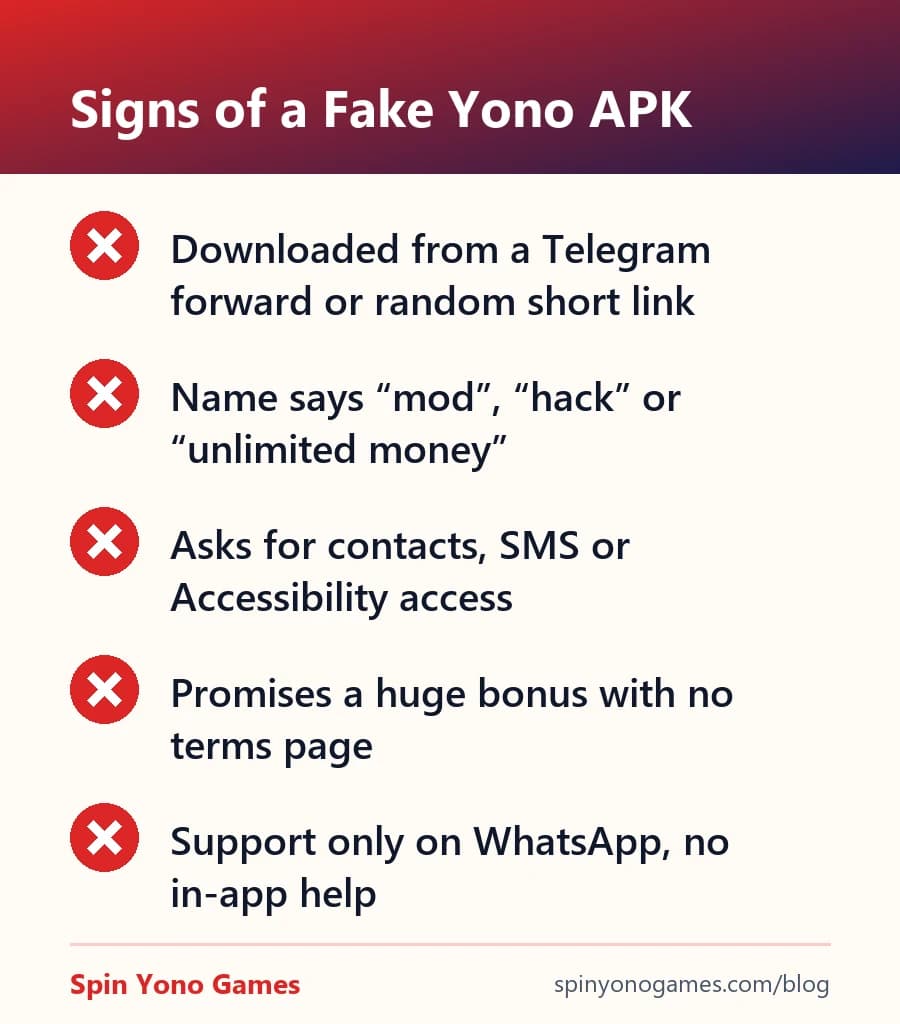
Fake APKs usually give themselves away. They arrive through forwarded links, promise impossible bonuses, carry names like “mod” or “unlimited money,” and ask for permissions a game does not need, such as contacts, SMS or Accessibility.
A few more checks: the file size should be close to the listed build size, and a later update should install over the old app without errors. For a full checklist, see how to verify a Yono APK is safe.
APK apps do not update through the Play Store. Most show an in-app prompt when a new version is ready. Otherwise, download the APK again from the same page and install it over the existing app. Your balance stays on your account and reappears when you log in with the same number.
If the update fails, the most common fix is to uninstall the old version first. The Yono install troubleshooting guide covers the other errors.
If UPI cash-out matters more than chip tournaments, these apps on this site have a disclosed sign-up bonus, a stated minimum withdrawal, and a download link our editors checked themselves.

Editorial note: this guide is independent commentary, not an endorsement of any specific third-party app. Real-money gaming carries financial risk and is restricted to users aged 18+; it is excluded in Andhra Pradesh, Assam, Nagaland, Sikkim, Tamil Nadu, Telangana and Odisha. Always verify an app's own terms before depositing — report an inaccuracy.